Showing posts with label HDD. Show all posts

Wednesday, June 12, 2013

Google Glass Teardown:CPU, Flash, and DRAM

Some highlights of teardown of google glass below.

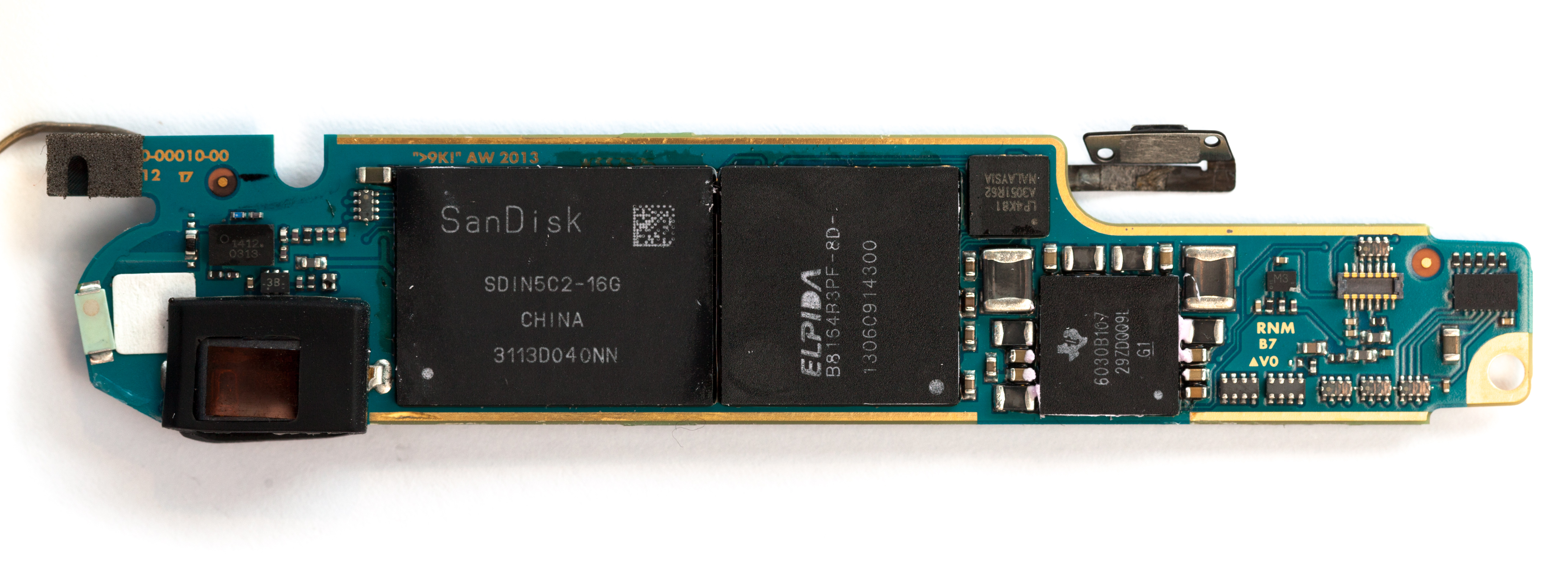
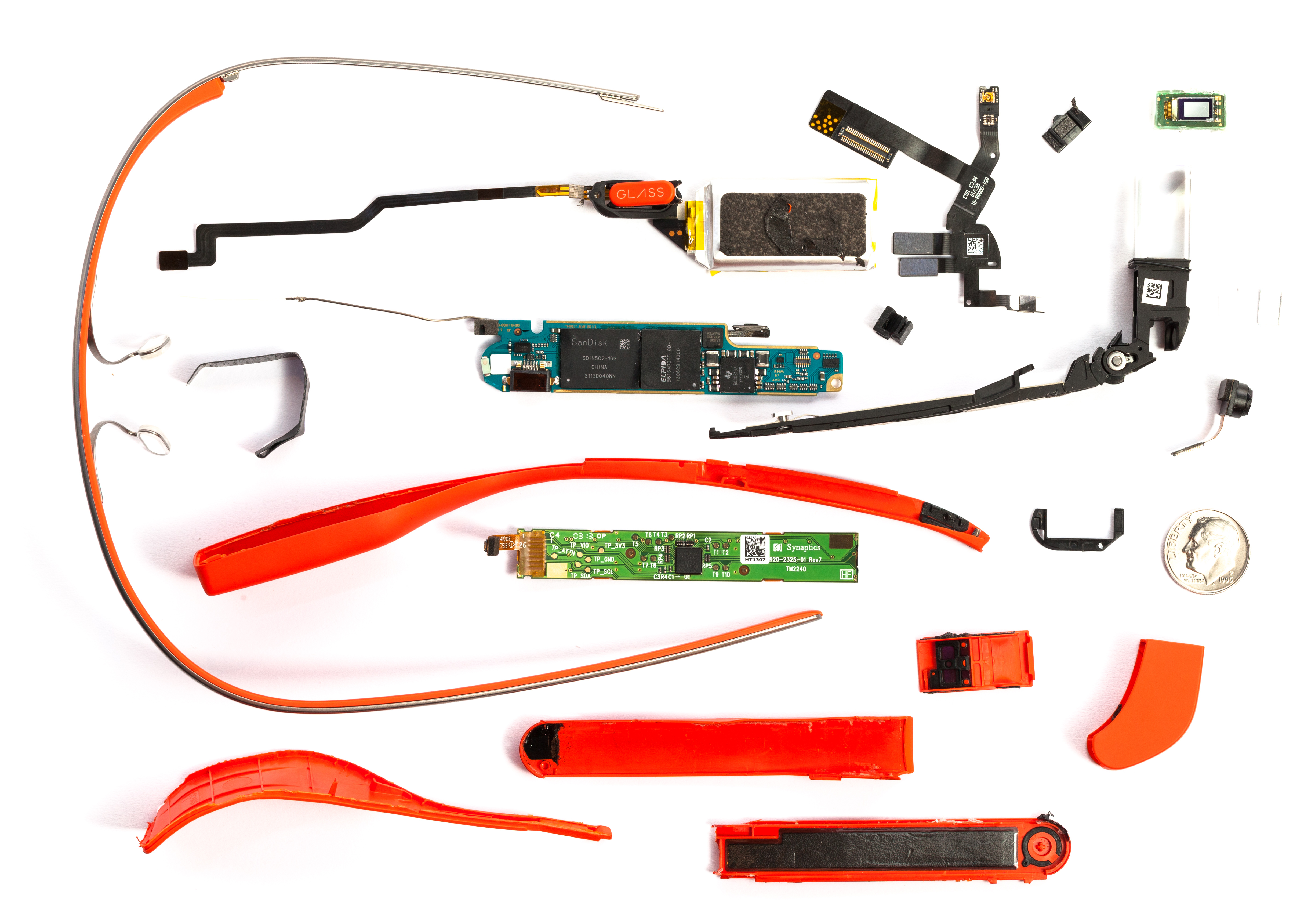
"core chips powering Glass: a TI OMAP4430, 16GB of SanDisk flash, and an Elpida mobile DRAM chip. "


Ron
Insightful, timely, and accurate semiconductor consulting.
Semiconductor information and news at - http://www.maltiel-consulting.com/

What is this Glass thing anyways?

Google's latest and hottest gadget needs little introduction.
Since its public unveiling in April 2012, the tiny head-mounted
Android computer has been collecting controversy and sociological
analysis. It is currently available in limited beta to eminent members
of the tech community and to a selection of "Glass Explorers". As
members of the latter program, we are delighted to be able to explore Glass.
.......

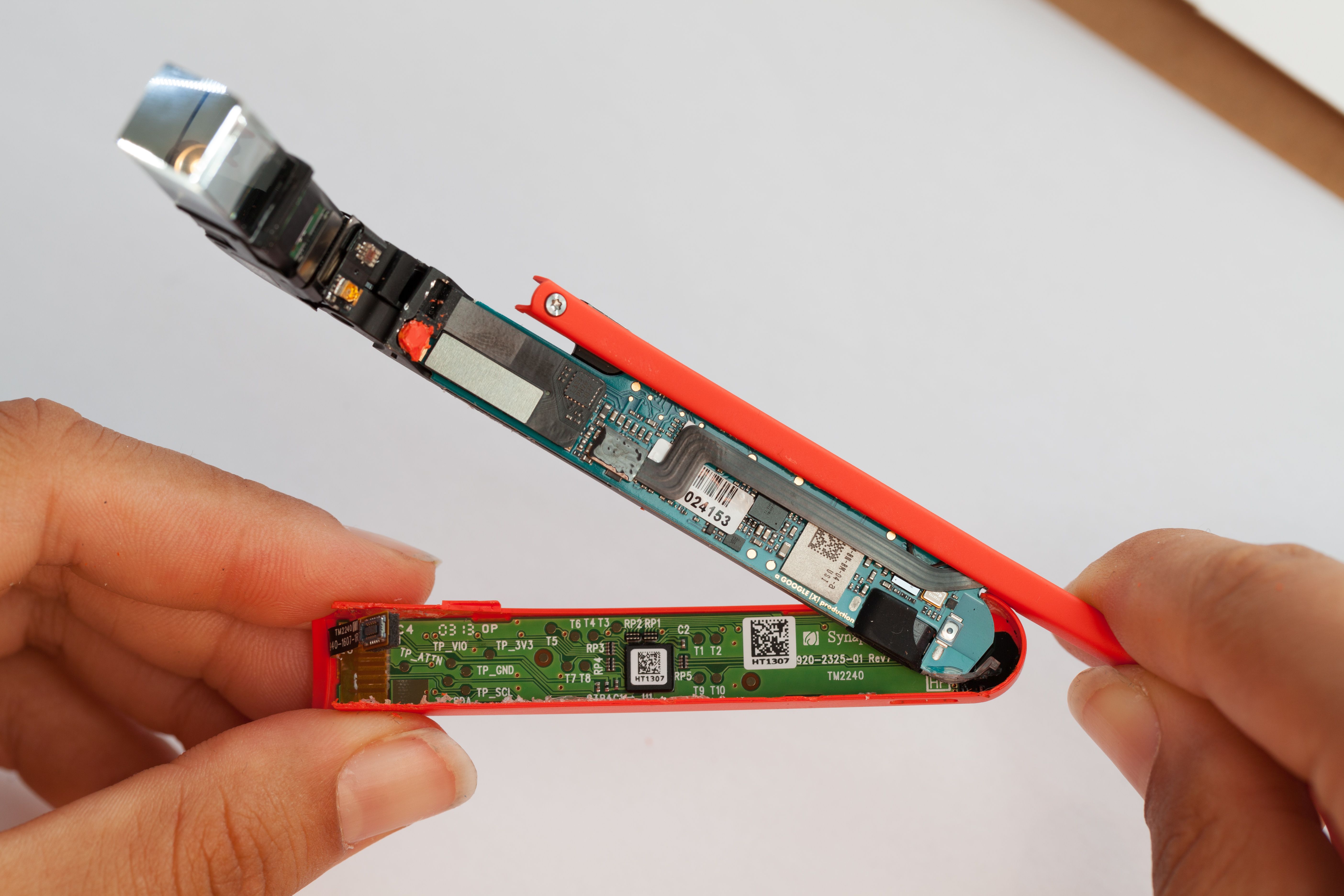
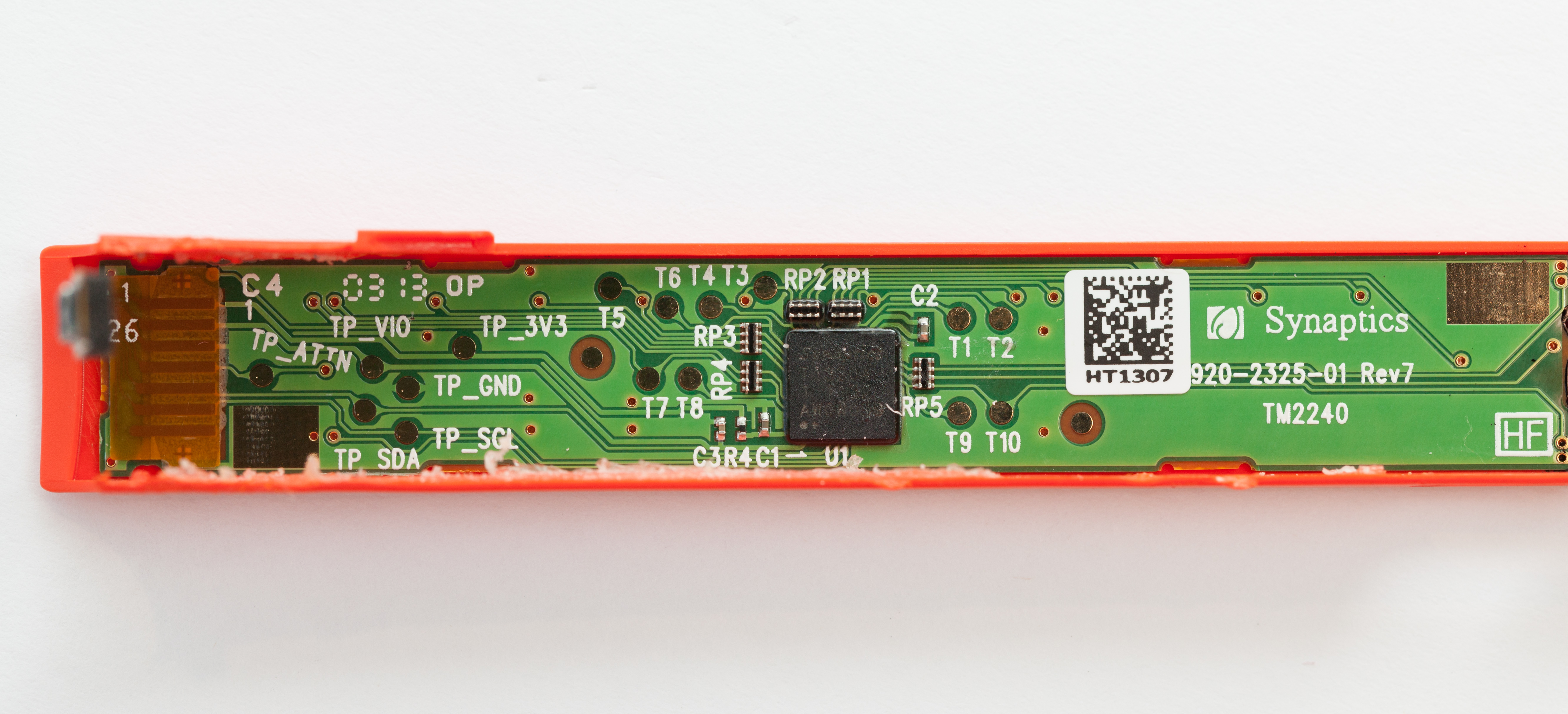
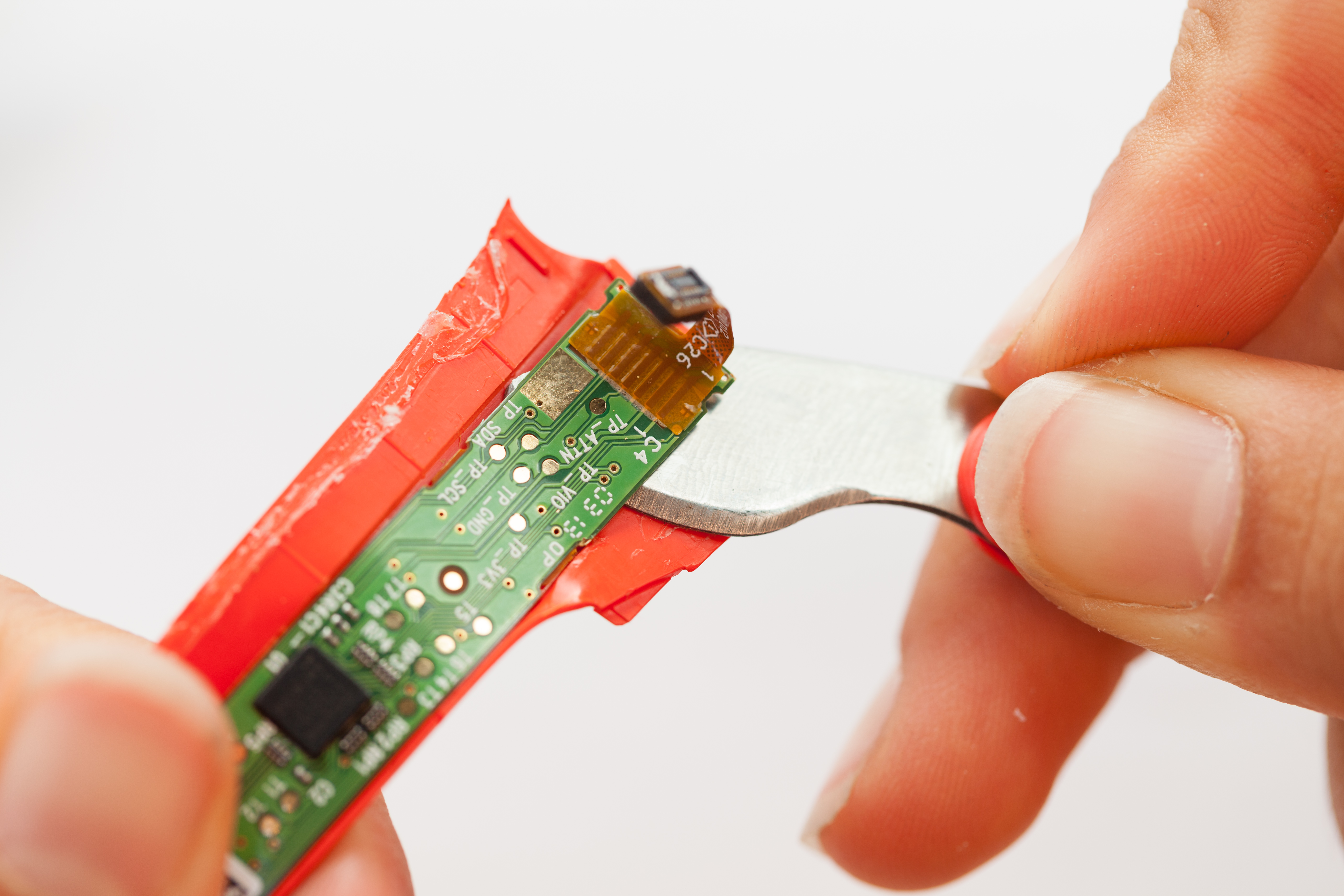
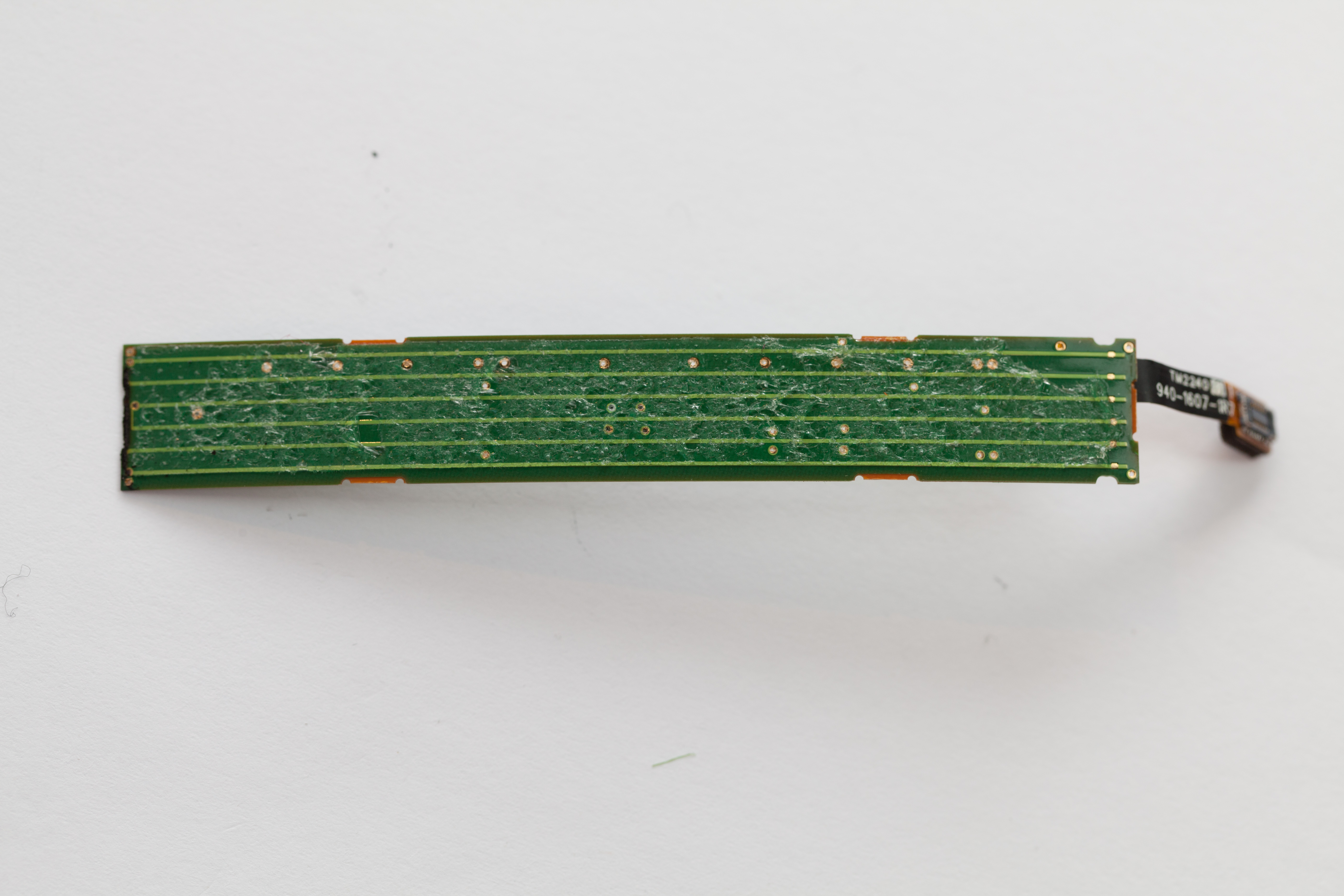
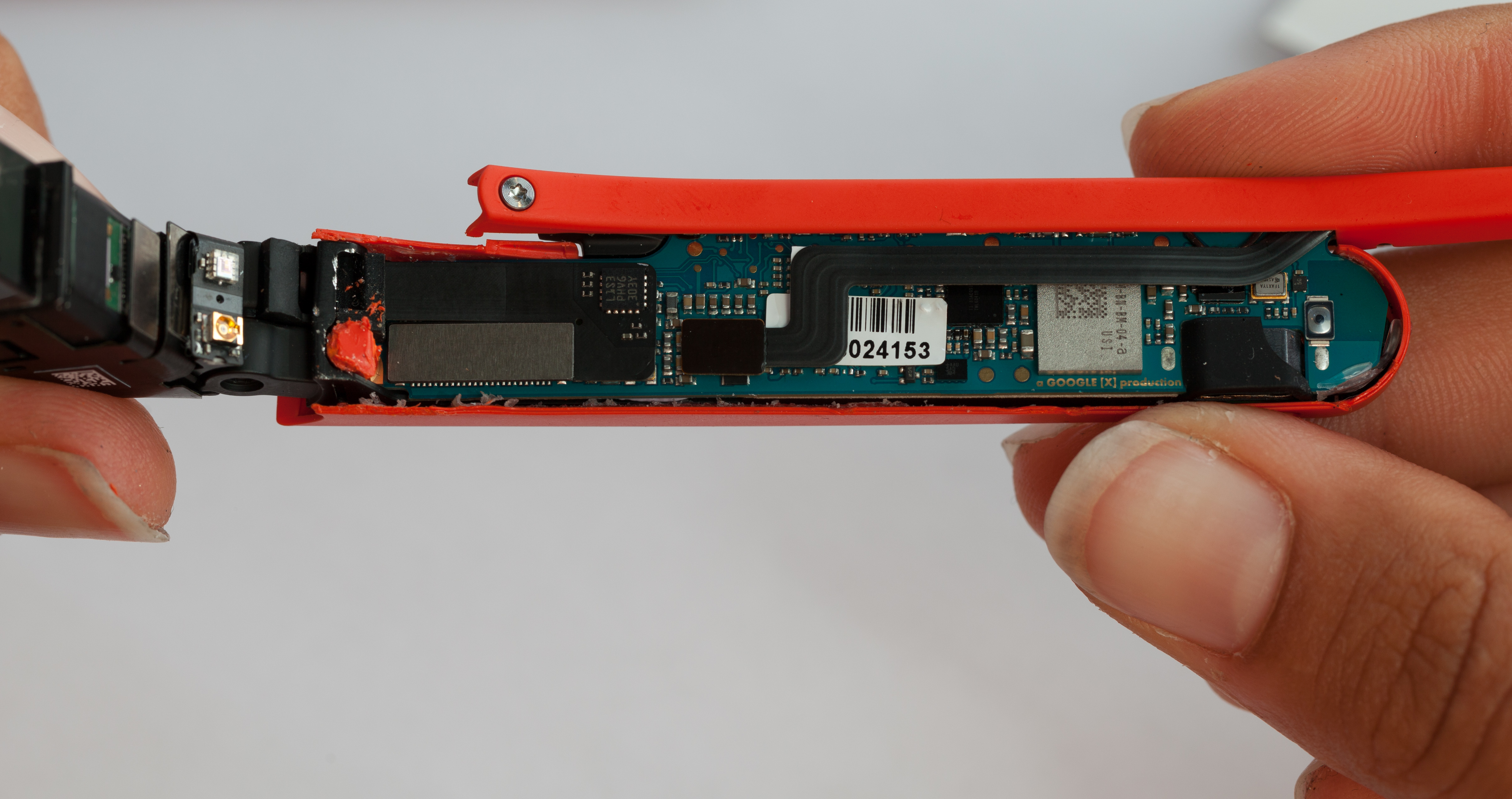
Side Touchpad

Removing the casing exposed a few parts, including the separate touchpad module on the right side of the unit. When a Glass users looks like they are pensively tapping their temple, they are interacting with this sensor. The touchpad is a full custom module made by Synaptics, and is driven by a Synaptics T1320A touchpad controller.

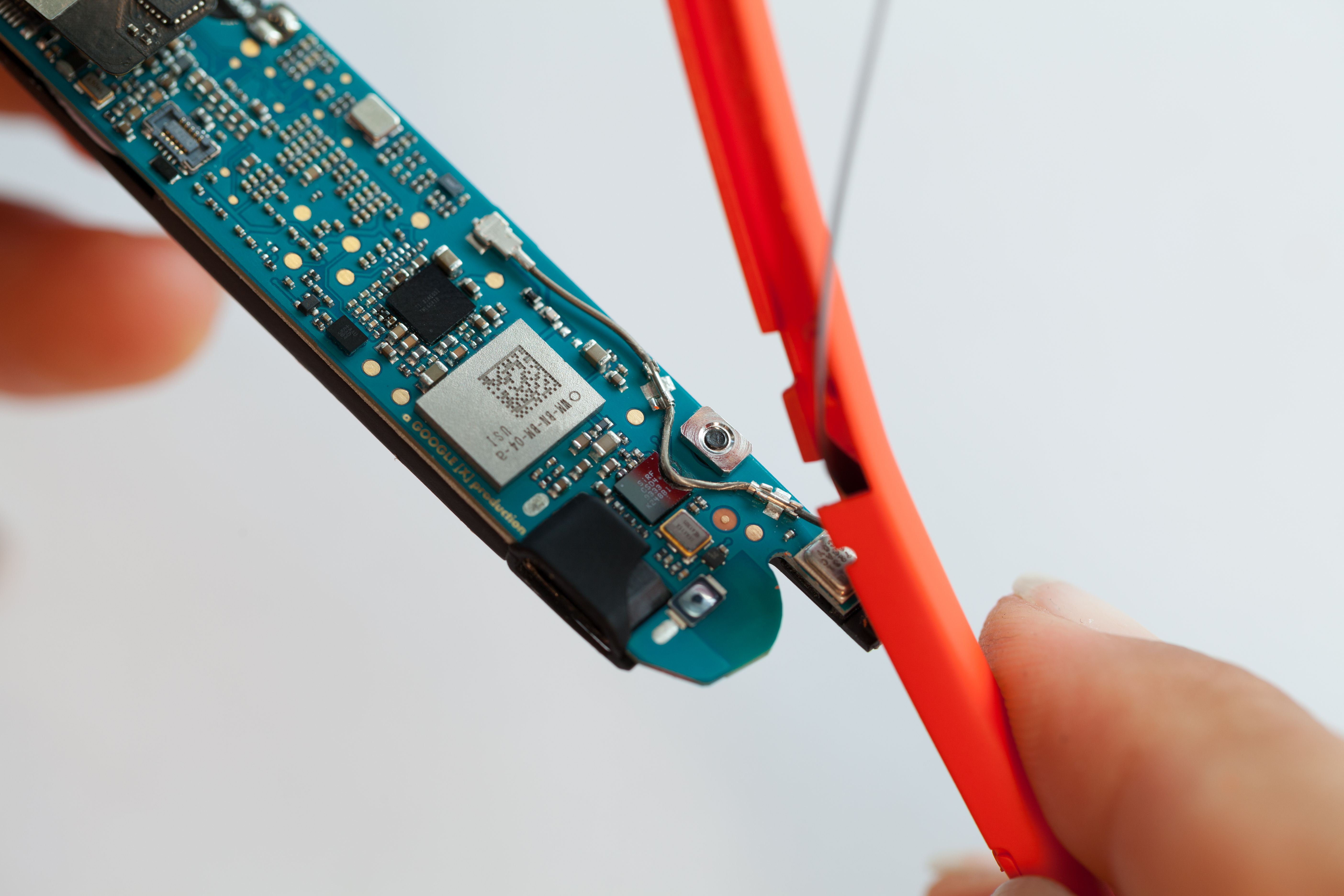
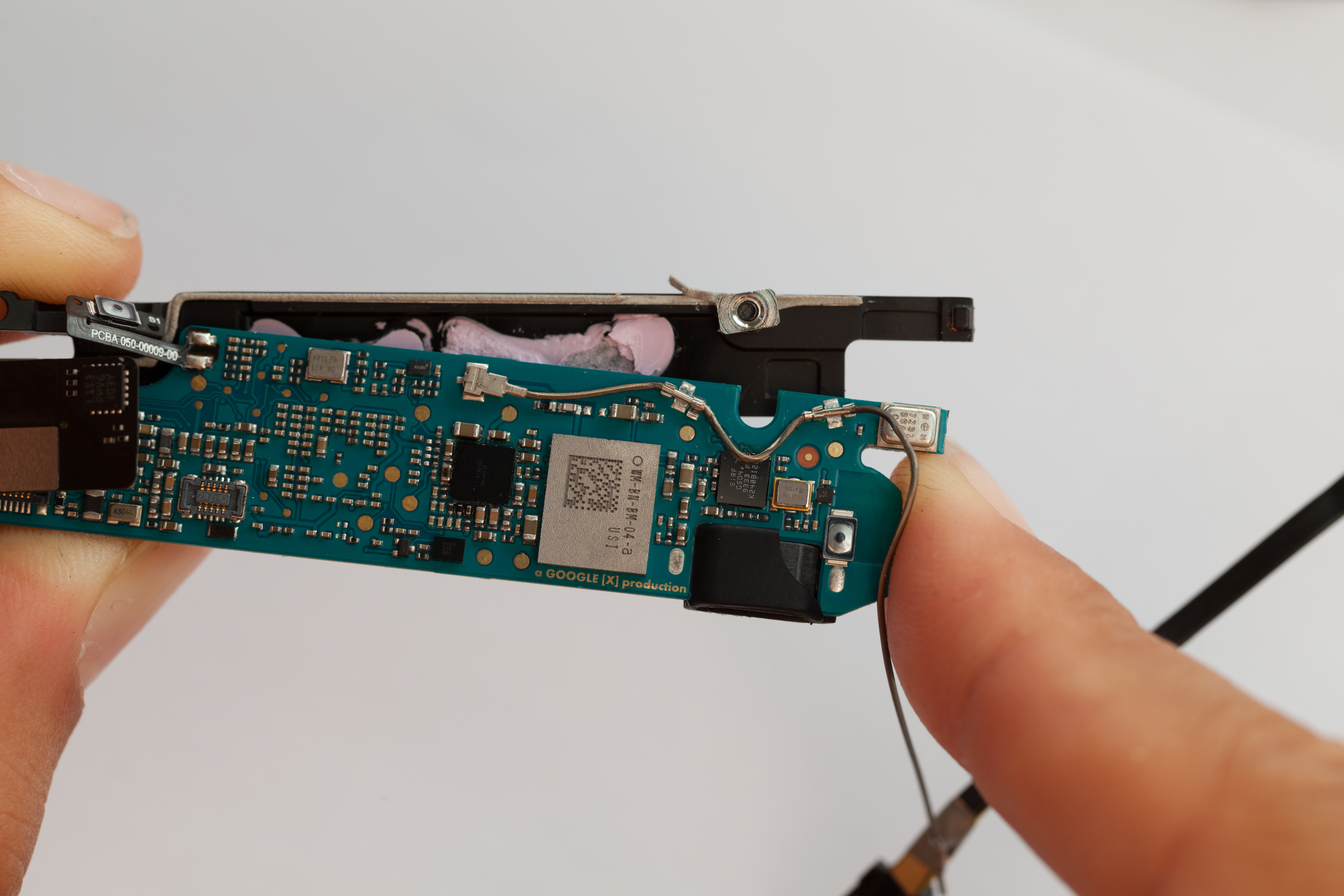
Main CPU Board

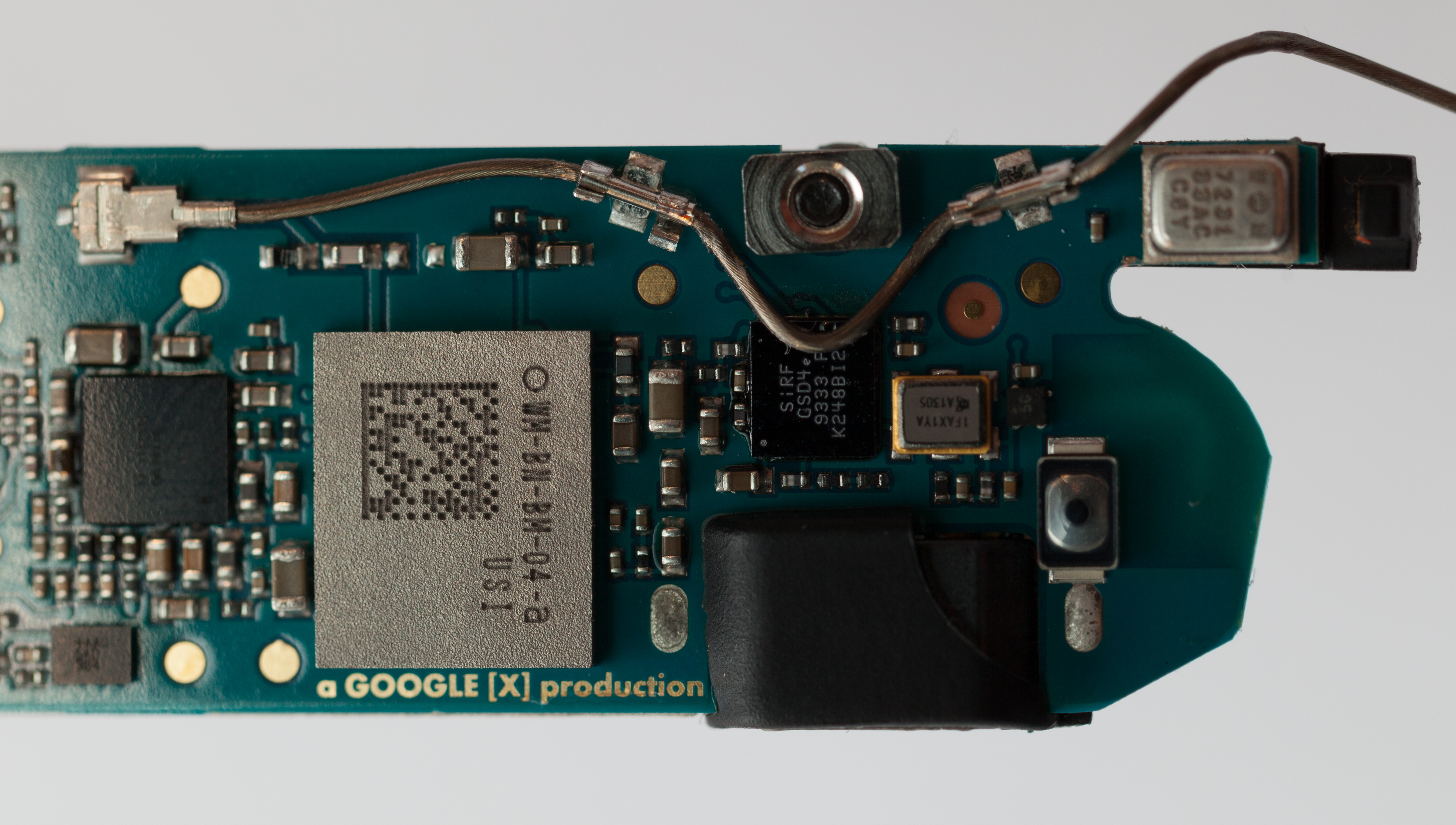
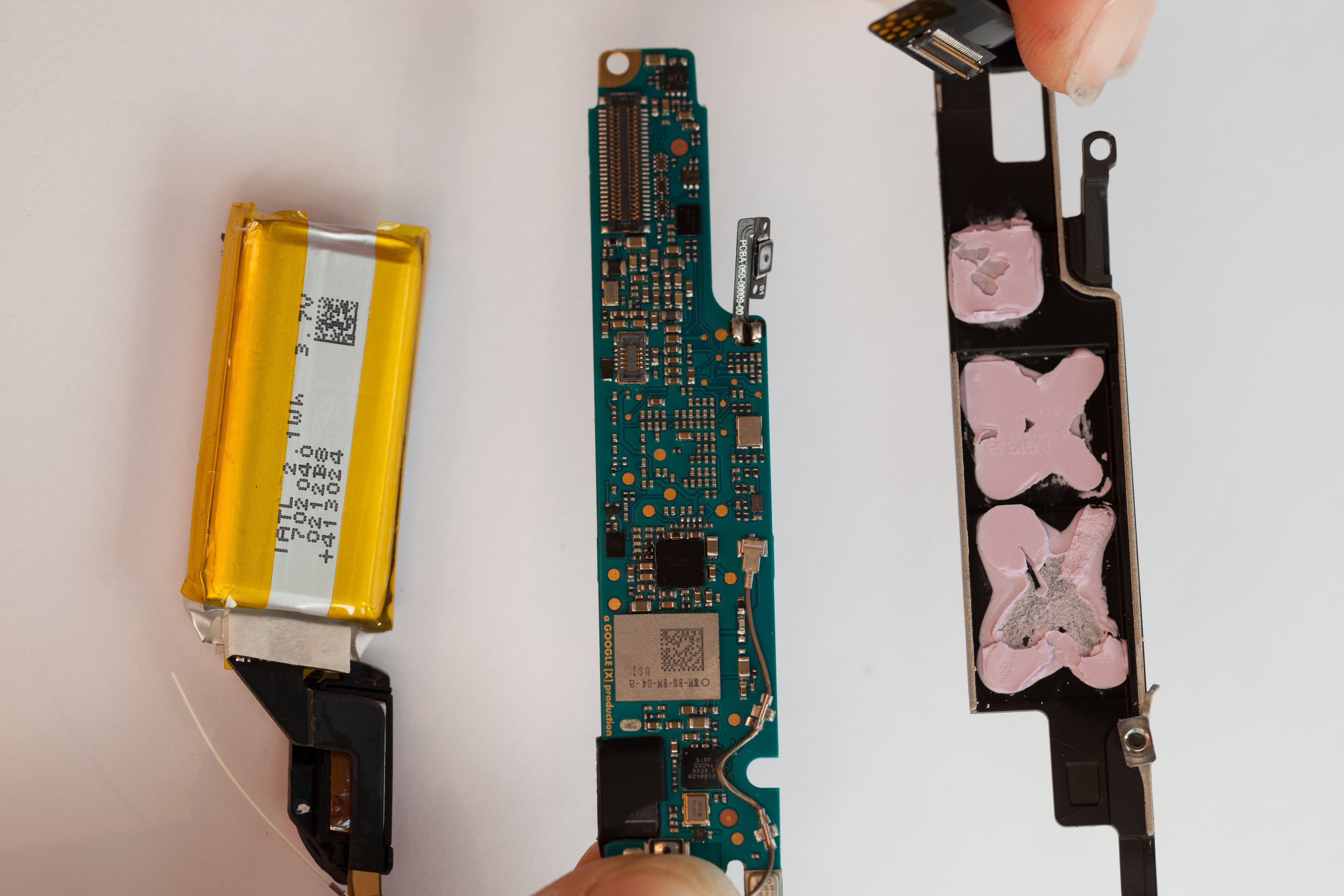
The main logic board was now exposed. The inwards-facing side holds an RF module, some small connectors and support ICs, and copper noting that this is "a GOOGLE [X] production".
This board was stuck to a thermal pad with lots of paste. After removing it and cleaning off the pink thermal compound, we revealed the core chips powering Glass: a TI OMAP4430, 16GB of SanDisk flash, and an Elpida mobile DRAM chip. A flex PCB and an RF cable, anchored with some metal tabs and an MMCX (?) connector, trailed from this board to the behind-the-ear pod.
Some text in the copper on this board reads >9K!   It's over 9000!

Behind-Ear Module

To keep the unit's weight distributed more evenly, Glass keeps its battery in a rounded bit behind the wearer's ear. We stripped this area open, again applying destructive force to tear the plastic.
The single-cell Lithium Polymer battery sits at the end of the flexprint PCB and is marked as having a capacity of 2.1 Wh (roughly 570 mAh). It is not user-replaceable, not even a little bit.


Wednesday, June 27, 2012

Microsoft: Million+ PC, Laptop, DRAM failures

The report below shows the results of Microsoft's analysis of the crash data sent back to Redmond from over a million PCs.

It is interesting that laptops didn't crash as often as desktops in the study. This is especially surprising considering that 1/3 of laptops fail in the first 3 years (article I read about a year ago).


Ron


Microsoft analyzes over a million PC failures, results shatter enthusiast myths

http://www.extremetech.com/gaming/131739-microsoft-analyzes-over-a-million-pc-failures-results-shatter-enthusiast-myths

By Joel Hruska on June 26, 2012 at 4:10 pm

Researchers working at Microsoft have analyzed the crash data sent back to Redmond from over a million PCs. You might think that research data on PC component failure rates would be abundant given how long these devices have been in-market and the sophisticated data analytics applied to the server market — but you’d be wrong. According to the authors, this study is one of the first to focus on consumer systems rather than datacenter deployments.


What they found is fascinating. The full study [1] is well worth a read; we’re going to focus on the high points and central findings. There are two limitations to the data collected that we need to acknowledge. First, the data set we’re about to discuss is limited to hardware failures that actually led to a system crash. Failures that don’t lead to crashes are not cataloged. Second, the data presented here is limited to hardware crashes, with no information on the relative frequency of software to hardware crashes.


CPU overclocking, underclocking, and reliability

When it comes to baseline CPU reliability, the team found that the chance of a CPU crashing within 5 days of Total Accumulated CPU Time (TACT) over an eight month period was relatively low, at 1:330. Machines with a TACT of 30 days over the same 8 months of real-time have a higher failure rate, of 1:190. Once a hardware fault has appeared once, however, its 100x more likely to happen again, with 97% of machines crashing from the same cause within a month.


Overclocking, underclocking, and the machine’s manufacturer all play a significant role in how likely a CPU crash is. Microsoft collected data on the behavior of CPUs built by Vendor A and Vendor B (no, they don’t identify which is which). Here’s the comparison chart, where Pr[1st] is the chance of the first crash, Pr[2nd1] the chance of a second subsequent crash, Pr[3rd2] the chance of a third failure. In this case, overclocking is defined as running the CPU more than 5% above stock.


Are Intel chips just as good as AMD chips? At stock speeds, the answer is yes. Once you start overclocking, however, the two separate. CPU Vendor A’s chips are more than 20x more likely to crash at OC speeds than at stock, compared to CPU Vendor B’s processors, which are still 8x more likely to crash. The report notes that “After a failure occurs, all machines, irrespective of CPU vendor or overclocking, are significantly more likely to crash from additional machine check exceptions.” The team doesn’t break out overclocking failures by percentage above , but their methodology does prevent Turbo Boost/Turbo Mode from skewing results. Does overclocking hurt CPU reliability? Obviously, yes.


So what about underclocking? Turns out, that has a significant impact on CPU failures as well.


As you can see, underclocking the CPU has a significant impact on failure rates. The impact on DRAM might seem puzzling — the researchers only reference CPU speed as a determinant of underclocking, rather than any changes to DRAM clock rate. Our guess is that the sizable impact on DRAM is caused by a slower CPU alone rather than any hand-tuning of RAM clock, RAM latency, or integrated memory controller (IMC) speed. IMC behavior varies depending on CPU manufacturer and product generation in any case, while the size of the study guarantees that a sizable number of Intel Core 2 Duo chips without IMCs would still been part of the sample data.


Laptops vs. desktops, OEM vs. white box

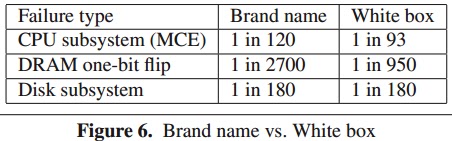
Ask enthusiasts what they think about systems built by Dell, HP, or any other big brand manufacturer, and you aren’t likely to hear much good. Actual data proves that major vendors actually have fewer problems than the systems built by everyone else. The researchers identified the Top 20 computer OEMs as “brand names” and removed overclocked machines from the analysis of the data. Only failure rates within the first 30 days of TACT were considered among machines with at least 30 days of TACT. This is critical because brand name boxes have an average of 9% more TACT than white box systems, which implies that the computers are used longer before being replaced.


White box systems don’t come off looking very good in these comparisons. CPUs are significantly more likely to fail, as is RAM. Disk reliability remains unchanged.


How about laptops? The researchers admitted that they expected desktops to prove more reliable than laptops due to the rougher handling of mobile devices and the higher temperatures such systems must endure. What they found suggests that laptop hardware is actually more reliable than desktop equipment, despite the greater likelihood that mobile systems will be dropped, sat on, or eaten by a bear. Again, overclocked systems were omitted from the comparison.


Desktops don’t come off looking very good here despite their sedentary nature. The team theorizes that the higher tolerances engineered into the CPU and DRAM, combined with better shock-absorbing capabilities in mobile hard drives may be responsible for the lower failure rate. The difference between SSDs and HDDs was not documented.


More data needed

The limitations of the study are such that we can’t draw absolute conclusions from this data, but they suggest a need for better analysis tools and indicate that adopting certain technologies, like ECC, would help improve desktop reliability. It’s one thing to say that overclocking hurts CPU longevity; something else to see that difference spelled out in data. The impact of underclocking was also quite surprising, this is the first study we’re aware of to demonstrate that running your CPU at a lower speed reduces the chance of a hardware error compared to stock.


The Microsoft team conducted the research as one step towards the goal of building operating systems and machines that are more tolerant of hardware faults. The fact that systems which throw these types of errors are far more likely to continue doing so strikes at the idea that such problems are random occurrences, as does much of the reliability information concerning DRAM.


The report throws doubt on a good deal of “conventional” wisdom and implies reliability is rather sorely lacking. More data is needed to determine why that is, and to correct the problem.


Endnotes

full study: http://research.microsoft.com/apps/pubs/default.aspx?id=144888

: http://www.extremetech.com/wp-content/uploads/2012/06/AMD-vs-Intel.png

: http://www.extremetech.com/wp-content/uploads/2012/06/Underclocking.png

: http://www.extremetech.com/wp-content/uploads/2012/06/Brand-vs-whitebox.png

: http://www.extremetech.com/wp-content/uploads/2012/06/Desktops-vs-Laptops.png
Monday, April 2, 2012

The Real Growth Paths for Flash Memory?

The article below addresses flash memory growth in SSD as a replacement for hard drive, which is one of the main growth areas for flash.


However, some other very large growth areas for flash memory are cell phones and consumer products.
For example, in the new iPad from Apple, the cost of  NAND Flash is between 5-18% .


April 24 Update: Apple's quarterly results highlight the impact that cell phones are having on the growth of flash.   "Surging iPhone Sales Propel Apple's latest quarter results". Total revenue of $39 billion...nearly 75% of revenue derived from the iPhone and iPad


Ron Maltiel


What are the Real Growth Paths for Flash Memory?
Tom Coughlin, 3/29/2012

Many pundits predicted that the shortage of hard disk drives would cause a significant shift to SSDs last quarter and this quarter. But as indicated in Micron’s report on its F2Q results, many OEMs ordered what became excess inventory of SSDs that will take another quarter to use up. The basic reason is economic, even with HDD supply much less than demand and higher HDD prices the price of a given amount of flash memory capacity is still much higher than that of HDDs.
Currently even the lowest price SSDs sell for about $0.70/GB while the most price impacted HDDs sell for $0.14/GB (a difference of 5:1). As the available production volume for HDDs recovers the price of HDDs in real dollars will continue to fall. In addition if higher areal density HDDs are introduced later this year, capacity prices will drop to pennies per GB while the least expensive SSDs will likely drop to $0.50/GB by the end of 2012. Economics is an important consideration for consumer and business purchases, and price does matter.

Over the next year or two there will be additional consumer and business products that shift from using HDDs to only using SSDs or flash memory. In mobile devices and automobile applications the ruggedness of flash memory and its ability to be put into smaller volumes than HDDs provide other advantages to users even if the purchase price is greater. In addition, many mobile applications have limited local storage (to control the product price) and depend upon storage and other resources from “the cloud.” Mobile consumer electronics will be a major growth area for flash memory, but likely not as much for traditional SSDs.

SSDs are storage devices that contain flash memory chips but also a separate storage controller that manages wear-leveling, memory management and interface control. It is likely that many future flash memory implementations in mobile devices will incorporate the controller into the overall system electronics and the storage device will be a collection of flash memory chips with no dedicated controller. This helps to reduce the overall system cost as the controller is part of the system electronics but also allows tighter integration and proprietary control of the controller functions by the mobile device designer. These considerations are likely a major reason for the purchase of Anobit by Apple.

The growth areas for SSDs will primarily be in two areas. In client computing applications, such as Ultrabooks, SSDs will be used alone in the most expensive machines while less expensive Ultrabooks will use a combination of a HDD and an SSD, or else flash memory cache in the HDD (a hybrid HDD), or possibly on the motherboard (although this seems less likely). These combinations of flash memory with a HDD provide performance boosts like those with pure SSD computers but offer the lower cost capacity of HDDs and will allow sub-$600 Ultrabooks, which are likely to be the most popular price point.

The other growth area for SSDs is in enterprise applications where SSDs can provide fast transaction processing, partly to support cloud services and storage in “the cloud.” Although HDDs (and even magnetic tape) will continue to supply inexpensive mass storage, intelligent storage tiering using SSDs allows must faster access to content and at lower expense than a DRAM-based solution. There are currently many storage systems available by every major enterprise storage vendor offering SSDs as part of their storage tiers and several companies offering pure flash-based appliances. These companies include EMC, HDS, HP, Oracle, NetApp, Nimble Storage, Texas Memories, X-IO and many others.

The combination of SSDs and flash memory in mobile devices and in remote data centers supporting cloud-based storage and services is important enabler of today’s information economy. However these performance and mobile applications would be very limited without access to low cost content and information storage on magnetic storage devices. Thus in a real way flash memory and HDDs are much more symbiotic than might initially appear to be the case . In a real way the growth of flash memory and SSDs is dependent upon the growth of HDD storage and likewise the growth of HDDs is enabled by the faster data access enabled by flash memory.